|
W C S .& .V N S . T u t o r i a l s
|
Get the latest free WCS and VNS
updates at 3D Nature
 New User ...
  Intermediate
...
Intermediate
... Advanced Advanced
WCS 5 techniques work in WCS 6
WCS techniques can be applied to VNS
VNS 2 techniques work in VNS 3
That doesn't mean there isn't an easier way to do it in newer
versions!
General Topics
VNS
3
VNS
2
|
|
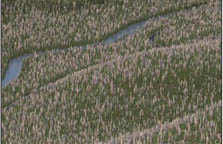
GIS Applications for VNS 2
This is an extension of the tutorials included with VNS 2 and
later versions. These videos will take you deep into the VNS
world of shapefile import, Search Queries, and Thematic Maps
using real-world data. You'll learn how to use VNS's advanced
GIS tools to create lakes, streams, roads, and Ecosystems with
shapefile vectors and attributes.
Added 10 November 2015 |
|
|
|
|
|
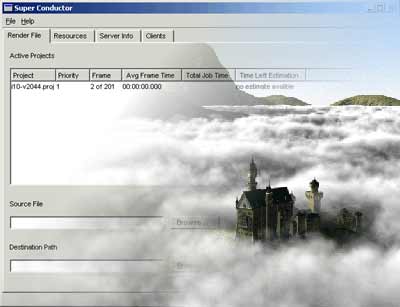
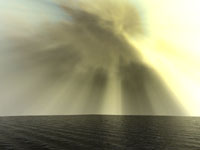
Crepuscular Rays
Crepuscular rays are shafts of sunlight streaming through the
clouds or around mountains when the sun is low and blocked. The
scattering of sunlight by particles in the air makes the effect
possible. This tutorial sets up a simple project with Components
as a basis for exploring this effect.
WCS/VNS
FORMAT |
|
|
|
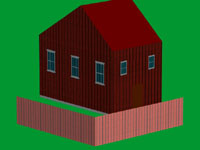
Planar Textures on 3D Objects and Walls
Many users don't have an application for building 3D models with
UV-mapped textures. For simple models, textures can easily be
applied in VNS. But you can't just slap any texture on a model
surface using defaults and expect it to look right. You have
to tell VNS where and how to apply the textures.
WCS/VNS
FORMAT |
|
|
|
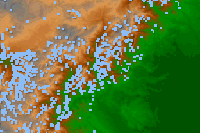
Importing SRTM Data
For areas of the world where 90-m terrain data is not available,
SRTM-3 offers a low-cost solution. This tutorial covers the import
of a single tile, however, the method is most useful when importing
many tiles. The VNS 2 DEM Merger allows you to merge and fill
data voids in a few simple steps. |
|

|
|
Using a Fractal Depth Texture
There may be times when you need detail in some areas but don't
want to wait while detail renders everywhere at a high Maximum
Fractal Depth. A typical example is a road through the countryside.
Here's how to use a Maximum Fractal Depth Texture to save render
time. |
|
|
|
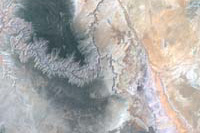
Combining Landsat Bands in Photoshop
Color corrected satellite images are great for fast and easy
draping over terrain if you're using VNS, which is designed to
handle non-geographic projections. Here are the basics. |
|
WCS
6
|
|
|
Crepuscular Rays
Crepuscular rays are shafts of sunlight streaming through the
clouds or around mountains when the sun is low and blocked. The
scattering of sunlight by particles in the air makes the effect
possible. This tutorial sets up a simple project with Components
as a basis for exploring this effect.
WCS/VNS
FORMAT |
|
|
|
|
Planar Textures on 3D Objects and Walls
Many users don't have an application for building 3D models with
UV-mapped textures. For simple models, textures can easily be
applied in VNS. But you can't just slap any texture on a model
surface using defaults and expect it to look right. You have
to tell VNS where and how to apply the textures.
WCS/VNS
FORMAT |
|
|
|
|
Using a Fractal Depth Texture
There may be times when you need detail in some areas but don't
want to wait while detail renders everywhere at a high Maximum
Fractal Depth. A typical example is a road through the countryside.
Here's how to use a Maximum Fractal Depth Texture to save render
time. |
|
|
|
|
Combining Landsat Bands in Photoshop
Color corrected satellite images are great for fast and easy
draping over terrain if you're using VNS, which is designed to
handle non-geographic projections. Here are the basics. |
|
VNS
1
|
|
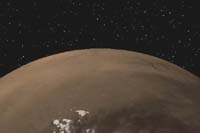
Mars a 'la MOLA
Import NASA Mars Global Surveyor MOLA data and drape a Color
Map of the Martian surface over the planet for added realism. |
|
WCS
5
|
|
|
Mars
a 'la MOLA
Import NASA Mars Global Surveyor MOLA data and drape a Color
Map of the Martian surface over the planet for added realism. |
|
|
|

|
|
Panoramas
WCS takes the hassle out of creating
landscape panoramas with its Panorama Camera. |
|

|
|
Matching
Multiple LW5.6 Objects.
With a little bit of planning
and the right method, you can use a LWO DEM exported from WCS
as a reference to model 3D Objects on in LightWave. This allows
you to bring the LWO 3D Object back into WCS in its proper location.
The same technique can be applied to any 3D modeling program
that reads and writes LWO, 3DS, or DXF objects. |
|
|
|
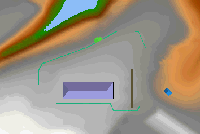
Importing
DXF Terrain and Matched DXF Objects.
So what do you do with DXF terrain
and objects aligned in another program? This short tutorial will
take you through importing and referencing the DXF DEM and creating
a 3D Object vector to correctly place the DXF object on the terrain. |
|

|
|
Beach Basics
Beaches are a great addition
to the WCS 5 tool arsenal but can be confusing the first time
around. |
|

|
|
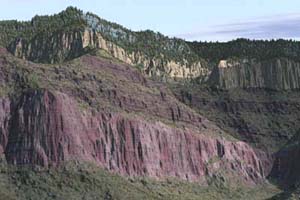
Turning Area Terraffectors into DEMs
Area and Linear Terraffectors aren't visible in OpenGL views
and can quickly absorb your memory at render time. Permanently
outputting them to DEMs solves both problems. |
|
|
|
Of DEMs and Wizards
It all starts with digital elevation
models (DEMs). Here you'll learn how to unzip SDTS data without
corrupting it, using the Import Wizard to bring it into WCS,
and the importance of importing all terrain data at the same
time.
Parts 2-8 are no longer available
online. They were included in Getting to Know WCS5. |
|
Articles
|
|
|
|
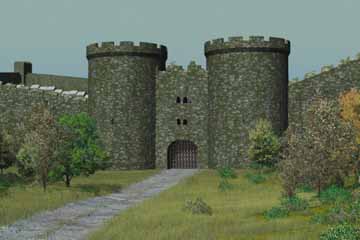
Rebuilding Kinsale: 1601, 3DArtist#45 & #46.
Rebuilding Kinsale, Ireland,
with LightWave and WCS for a recreation of the Battle of Kinsale
in 1601. VNS was released as the second magazine installment
went to press and renders with the new software were posted as an online supplement. |
|
|
|
|
|
|
|
WCS
4
Updated 10 November 2015
Copyright R
Scott Cherba All Rights Reserved |
|